
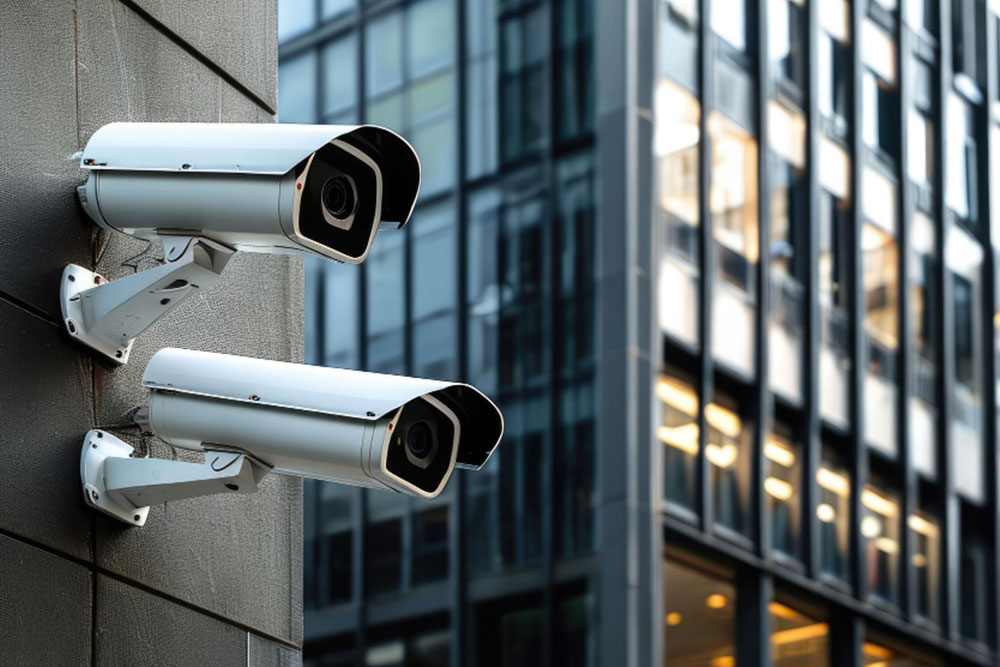
Security expectations for businesses have shifted. It is no longer enough to install a few cameras and assume coverage is complete. Today, organizations need visibility across operations, controlled access to spaces, and systems that can adapt as their environment changes.
This is where commercial security camera systems come into focus. These systems are designed to do more than capture footage. They support monitoring, improve accountability, and connect with other technologies to create a structured security environment.
For many businesses, cameras are now part of daily operations. They are used to verify processes, review incidents, and maintain oversight across multiple locations. This is especially relevant for facilities such as warehouses, office complexes, multifamily properties, and institutions where activity is constant and spread across large areas.
At the same time, camera systems do not operate in isolation. They often work alongside video surveillance systems for business, access control solutions, and network infrastructure. When these elements are connected, they form a system that is easier to manage and more effective in real-world conditions.
Understanding how these systems function and how they should be implemented is the difference between basic monitoring and a setup that supports long-term operational needs.
What Commercial Camera Systems Actually Deliver
At a surface level, camera systems record activity. But for commercial environments, their function goes further.
These systems create a continuous view of what is happening across a property. This includes entry points, shared areas, restricted zones, and operational spaces. The ability to monitor these areas in real time changes how businesses manage risk and respond to situations.
Business security cameras are built for this scale. They handle larger coverage areas, support multiple users, and operate continuously without interruption. In a warehouse, for example, cameras may monitor loading docks, inventory movement, and employee activity across shifts. In an office setting, they may focus on entrances, internal corridors, and sensitive areas.
Another key function is documentation. Recorded footage creates a timeline of events that can be reviewed when needed. This is useful for resolving disputes, investigating incidents, and meeting compliance requirements.
Why Businesses Are Rethinking Camera Systems
The role of camera systems has expanded beyond traditional security concerns. While theft and unauthorized access remain relevant, businesses are now using these systems to improve visibility across operations.
Cameras act as a deterrent, but they also support accountability. Employees, contractors, and visitors are aware that activity is monitored, which reduces the likelihood of incidents. At the same time, recorded footage allows businesses to verify events rather than rely on assumptions.
In many cases, organizations rely on video surveillance to monitor workflows. This is common in environments where processes need to be consistent. For example, in manufacturing or logistics, cameras help confirm that procedures are followed correctly and identify areas where delays or inefficiencies occur.
Another factor is centralization. Businesses with multiple locations can monitor all sites from a single interface. This reduces the need for on-site supervision while maintaining oversight.
This shift reflects a broader change in how security systems are viewed. They are no longer separate from operations. They are part of how businesses manage performance, reduce loss, and maintain consistency.
How Video Surveillance Fits Into a Larger System
Camera systems are most effective when they are part of a connected setup rather than standalone tools.
Video surveillance systems for business often work alongside access control, intrusion detection, and network infrastructure.
For example, if an alarm is triggered, cameras can immediately capture activity in that area. If a door is accessed, the system can log the event and record video at the same time. This creates a complete record rather than isolated pieces of information.
This integration also improves response time. Instead of reviewing separate systems, everything can be accessed from a central platform. Security teams can monitor live feeds, review alerts, and take action without switching between tools.
Another benefit is consistency. Automated responses can be configured based on events. This reduces reliance on manual monitoring and ensures that actions are taken even when personnel are not actively watching.
A connected system is easier to manage and delivers better results. It reduces gaps, improves visibility, and allows businesses to respond more effectively.
Core Components That Shape System Performance
A camera system is made up of several parts that must work together.
Cameras capture footage across different areas. Their type and placement determine how much of the property is visible.
Recording systems store video data. This may be handled locally or through cloud-based platforms, depending on how the system is structured.
Management software allows users to access footage, configure settings, and manage alerts. It acts as the interface between users and the system.
The network connects all components. Without stable connectivity, systems may experience delays, interruptions, or loss of data.
Each component plays a role in performance. A system is only as reliable as its weakest part. For example, high-quality cameras will not deliver consistent results if the network cannot support them.
Planning these components together ensures that the system functions as intended. It also reduces the likelihood of performance issues over time.
Choosing the Right Camera Types for Different Environments
Camera selection should be based on the environment, not just specifications.
Fixed cameras are commonly used in areas where coverage needs to remain constant. These include entrances, hallways, and specific operational zones.
Pan-tilt-zoom cameras allow operators to adjust the view and follow activity. They are often used in larger spaces where flexibility is needed.
Multi-sensor cameras can cover wider areas with fewer devices. This is useful in open spaces where installing multiple cameras would increase complexity.
Thermal cameras detect heat rather than light. They are used in environments where visibility is limited or where monitoring needs extend beyond standard conditions.
The goal is to achieve coverage without unnecessary overlap or blind spots. Each camera should serve a defined purpose within the system.
Infrastructure Decisions That Impact Reliability
The way a system is connected has a direct impact on performance.
Wired systems offer consistent connectivity and are often used in larger facilities where reliability is a priority.
Wireless systems are easier to install and expand. They are useful in locations where running cables is not practical or where flexibility is needed.
Many businesses adopt a hybrid approach. This allows them to combine stability with flexibility, using wired connections in critical areas and wireless options where appropriate.
Infrastructure also includes bandwidth and storage planning. Systems generate large amounts of data, and without proper capacity, performance can suffer.
Decisions made at this stage affect how the system performs over time. A setup that works initially may face limitations if it is not designed to handle growth or increased usage.
Integration with Access Control Systems
Camera systems become significantly more effective when combined with access control. On their own, cameras show what happened. Access control shows who was involved. When both systems are connected, they create a clear and verifiable record of activity across a property.
Access control systems regulate entry through credentials such as keycards, mobile authentication, or biometric identification. Each interaction is logged, creating a digital trail of movement. When this data is paired with video, it adds context to every entry and exit event.
For example, if a restricted door is accessed outside of normal hours, the system can immediately associate that access event with corresponding footage. This removes guesswork and allows faster verification.
Planning access control installation alongside camera systems ensures both systems are aligned from the beginning. Retrofitting integration later often leads to inconsistencies or missed data points. A coordinated setup allows both systems to communicate and respond to events in real time.
AI and Analytics in Camera Systems
Modern camera systems have moved beyond passive recording. AI-driven capabilities allow them to analyze activity and highlight what matters.
One of the most practical features is object detection. Cameras can distinguish between people, vehicles, and background movement. This reduces false alerts caused by environmental factors and allows teams to focus on relevant events.
Analytics also help identify patterns. Businesses can monitor how spaces are used, track occupancy levels, and understand peak activity times. In environments such as offices, retail spaces, or shared facilities, this data can support decisions related to layout and staffing.
Another advantage is faster response. Instead of manually reviewing footage, users can search for specific events or behaviors. This reduces time spent on investigations and improves accuracy.
These capabilities extend the role of camera systems beyond monitoring. They become tools for operational insight. Over time, this helps businesses refine processes, improve efficiency, and maintain better control over their environments.
Industry-Specific Applications
Camera systems are not implemented the same way across all industries. Each environment has its own operational needs, risk factors, and compliance requirements.
Warehouses rely on cameras to track inventory movement and secure high-risk areas such as loading docks. This reduces loss and makes sure that handling procedures are followed correctly.
Multifamily properties focus on entrances, parking areas, and shared spaces. The goal is to improve resident safety while maintaining controlled access to the property.
Each of these environments requires a tailored approach. Camera placement, system configuration, and integration should reflect how the space is used. A standard setup rarely delivers consistent results across different industries.
Common Mistakes Businesses Make
Many issues with camera systems can be traced back to early decisions. One common mistake is focusing only on equipment quality. High-resolution cameras or advanced features do not compensate for poor placement or incomplete coverage.
Another issue is underestimating infrastructure requirements. Systems depend on stable networks and sufficient storage. Without proper planning, businesses may experience delays in accessing footage or interruptions in recording.
Some organizations treat camera systems as standalone tools. Without integration, they miss the opportunity to connect surveillance with access control or alarms. This limits the system’s effectiveness and creates gaps in monitoring.
Long-term planning is often overlooked. Systems require updates, maintenance, and occasional upgrades. Ignoring this can lead to reduced performance and higher costs later.
Avoiding these mistakes requires a structured approach. Assessment, design, and implementation should be aligned with how the business operates.
Professional Installation and Its Impact
Installation has a direct impact on how well a system performs. Even well-designed systems can fail to deliver results if they are not installed correctly.
Professional installers evaluate factors such as camera angles, lighting conditions, and potential obstructions. For example, glare or shadows can affect image quality if not addressed during setup.
Configuration is another important aspect. Systems must be set up to manage motion detection, storage limits, and user access. Incorrect settings can lead to missed events or unnecessary alerts.
Installation also involves connecting multiple components. Cameras, recording systems, and network infrastructure must work together without interruptions. This requires technical expertise, especially in larger environments.
Maintenance and Long-Term Performance
Camera systems require ongoing attention to maintain performance. Over time, hardware can degrade, software can become outdated, and system requirements can change.
Regular maintenance includes checking camera functionality, cleaning lenses, and ensuring connections remain stable. Small issues can affect coverage if they are not addressed early.
Software updates are also important. They improve system stability, enhance security, and introduce new features. Skipping updates can limit system performance and increase risk.
Support agreements help ensure issues are resolved quickly. Instead of reacting to problems, businesses can rely on scheduled maintenance and faster response times.
Long-term performance depends on consistency. A system that is maintained properly continues to deliver reliable results, while neglected systems gradually lose effectiveness.
What to Evaluate Before Choosing a System
Selecting a camera system requires a detailed evaluation of business needs. The size and layout of the property determine how many cameras are required and where they should be placed.
Risk levels influence system configuration. High-risk environments may require additional features such as analytics or integrated access control.
Scalability is another factor. Businesses grow, and systems should be able to expand without major changes. This includes adding cameras, increasing storage, and integrating new technologies.
Cost should be viewed over the entire lifecycle. This includes installation, maintenance, and upgrades, not just the initial investment.
Built for Systems That Work Beyond Installation
At Insyte Security, we design and implement systems that are built to perform long after installation is complete. Every project starts with a detailed assessment of your property, operations, and risk areas.
Our team manages the entire process, from design to deployment, with a clear timeline and structured execution. Ongoing support is handled through service agreements, ensuring your system stays updated, functional, and aligned with your needs.
If you are planning a new system or improving an existing one, connect with Insyte Security to schedule a security assessment and discuss the right approach for your property.